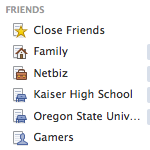
So by now you probably have more than a few friends on Facebook. But the more friends you have, the more noise there is.
Luckily there’s a way to filter out the noise and increase productivity on the platform and it’s by creating a Facebook Friends List.
SEE ALSO: Using Facebook View Profile As to Check Privacy
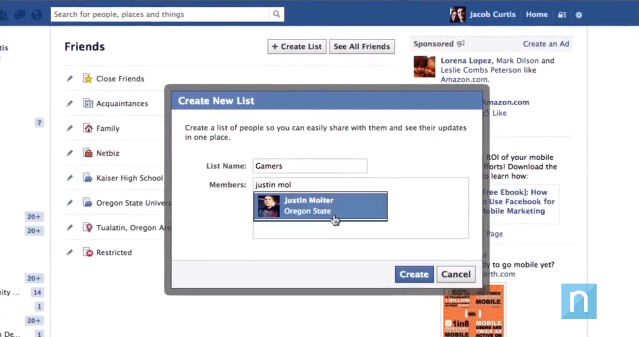
Watch the helpful video below for a full walk-through.
Video Tutorial
Never Miss an Update
After you’ve created your Facebook Friends List you will be able to add specific friends to the list. Once those friends have been added you’ll then see all updates from ONLY those friends when accessing the list.
One particular feature I like is the ability to manage your Facebook Friends List and control which type of Friends updates you’ll see.
Types of Updates:
- Status Updates
- Photos
- Games
- Comments and Likes
- Music and Videos
- Other Activities
Update the Right People
The final benefit of creating a Facebook Friends List is that you can send an update out to that list and ONLY friends that are apart of the list will see it. This is awesome for those of you who play Facebook games, as you can send out game notifications to only those friends who you play with (after making a specific list for them of course).
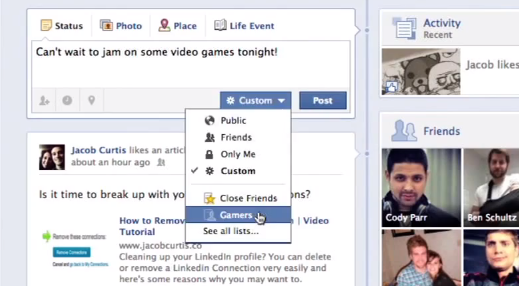
It’s very likely your family is on Facebook and some of your updates may not be appropriate for them to see or vice-versa; create a list for your family members or even your co-workers. There’s no end to the possibilities when it comes to Facebook Friends Lists.
What Type of Facebook Lists will you create?

7 responses to “How to Create a Facebook Friends List”
Thanks for sharing about friend list. I knew there was a way but wasn’t sure exactly how to do it. I am going to head over their right now and start “list building” 🙂
Hey @kylenelson:disqus , Thanks for taking the time to comment. I think you’ll find your Facebook experience to be much more fluid after you take the time to set up your lists. Go gettum’ Tiger!
Good call my friend. This is perfect. I want to say things to my friends all the time then delete it because I remember “Hey my kids have a Facebook”.
Thank you very much. My facebook is clear now. and also I want some secrets should not let them see my post … ^ ^
Thank you very much. and also I want some secrets should not let them see my post … ^ ^
Applications can be created to connect to more friends, but also at inhibitory, because they could not respond to the invitation, I was blocked!
[…] How to Create a Facebook Friends List (jacobcurtis.co) […]